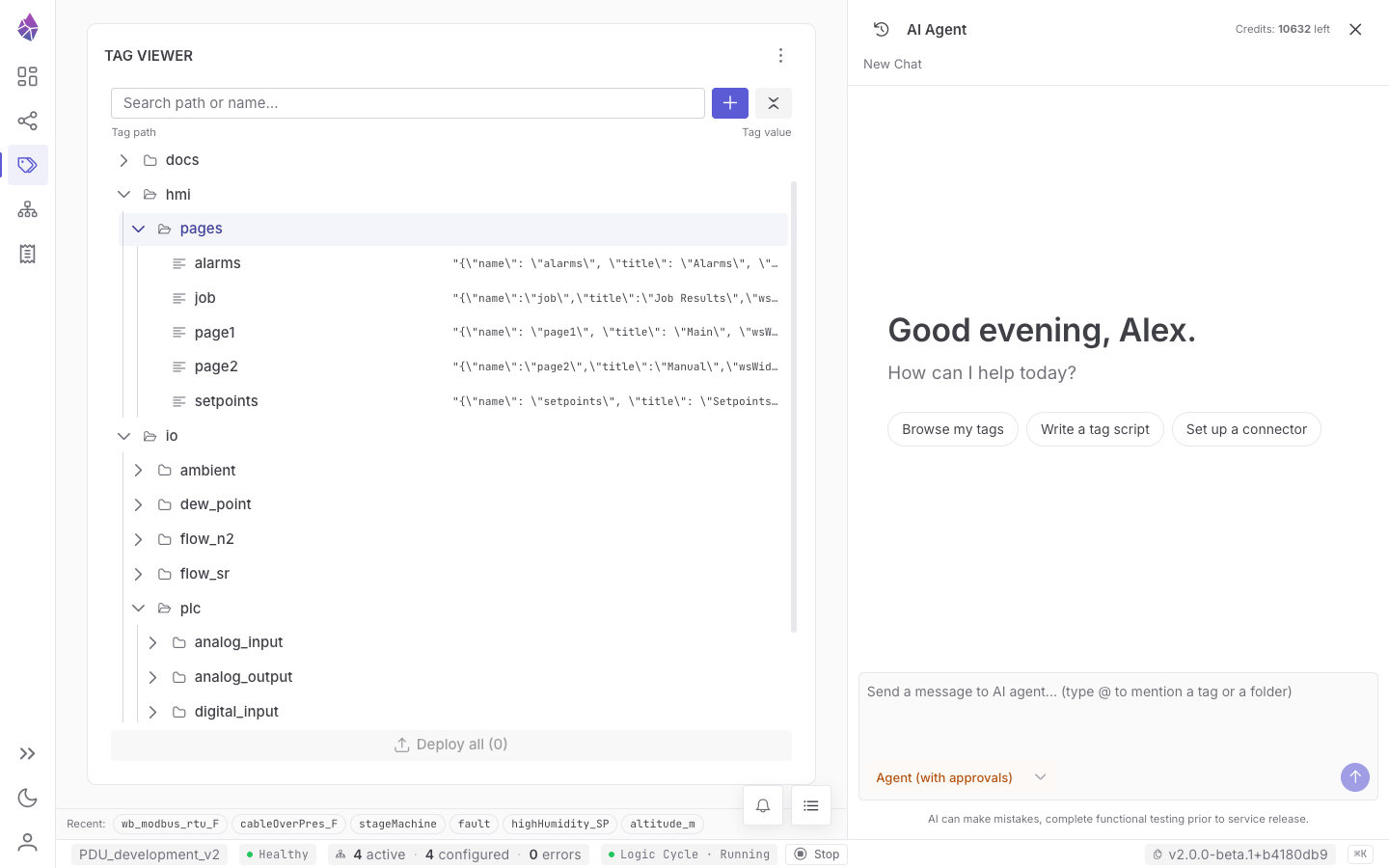
Everything is a tag
A tag is a named value at a path. It is the only data structure in JasperNode you really need to learn, because everything is one: sensor readings, setpoints, computed values, connector configuration, operating mode, system metrics, even log buffers. They all live in a single in-memory tag tree.
Anatomy of a tag
Section titled “Anatomy of a tag”A tag’s address — its Tag ID — is its path plus its name, joined with /:
factory/line1/temperature└──── path ────┘ └─ name ─┘Each tag carries three things: a value, live stats, and durable properties.
A value is one of:
| Type | Use |
|---|---|
number | analog readings, setpoints, counts (64-bit float) |
boolean | on/off, run/stop, alarms |
string | states, labels, short text |
bytes | binary payloads (frames, blobs) — fetched on demand |
null | ”no value” / not yet written |
A numeric tag can declare a decimals precision. Rounding is applied before the engine
decides whether the value changed, so a write that rounds to the same number produces no event and
no subscriber churn.
Stats (the live record)
Section titled “Stats (the live record)”Every tag tracks, automatically:
- previous value, and timestamps for the current and previous change (
ts,prevTs) and the last write (setTs); - source — who set it:
ui,script,system, an MQTT connector, a Modbus instance, and so on. Every write is attributed.
There is also a derived quality: good (a connected writer connector is producing it), stale
(its writer disconnected but it has prior data), uncertain (linked but never written), or
unknown (no connector linked — e.g. a script or UI value).
Properties (the durable metadata)
Section titled “Properties (the durable metadata)”Properties change rarely and are saved with the tag:
- description — human text;
- valueType and decimals;
- script — the optional attached logic (see Logic & the Logic Cycle);
- connector linkage — which connectors touch the tag and in what role.
Durable identity: rid vs. path/name
Section titled “Durable identity: rid vs. path/name”Every tag also has an rid — a durable 64-bit identity assigned when it is created. The rid is the tag’s real identity:
- rids are never reused. Delete a tag and its rid is gone forever; a new tag at the same path gets a fresh rid.
- path and name are just metadata — you can rename or move a tag and its rid (and everything subscribed to it) follows.
You rarely type an rid, but it is why renaming a tag never silently re-points a subscription at the wrong data, and why persisted references survive reorganisation.
Paths, folders and the tree
Section titled “Paths, folders and the tree”Paths form a folder hierarchy you organise freely: factory/line1/, hvac/building_a/,
modbus_data/vsd_ethernet/. Folders are just shared path prefixes — there is nothing to “create”
beyond giving a tag a path.
Wildcard subscriptions
Section titled “Wildcard subscriptions”Subscriptions use MQTT-style wildcards, which makes it easy to watch a whole area at once:
| Pattern | Matches |
|---|---|
factory/line1/temperature | exactly that tag |
factory/+/temperature | temperature under any single sub-path (line1, line2, …) |
factory/# | every tag anywhere under factory/ |
+ matches exactly one path segment; # matches the rest of the path and must be last.
(Subscribing to the bare root # is not allowed — it would wake on every change in the system.) The
IDE, the AI agent, connectors and scripts all use this same matching.
Tag spaces
Section titled “Tag spaces”The tree is split into user space and the system space (__sys/). The split is about who
may write where:
| Space | You can edit? | Holds |
|---|---|---|
| User space | Yes — fully | Your application: I/O, setpoints, computed values, logic. Any path not under __sys. |
__sys/host/ | No (regenerated each boot) | Host machine facts: a 1 Hz clock, OS, network, CPU/memory/disk |
__sys/node/about/ | No | Engine identity: version, uuid, load state |
__sys/node/user/ | Yes — the only editable __sys subtree | App config, connector configs and enable switches, tool parameters |
__sys/node/service/ | No (system writes only) | Connector status & diagnostics, manifests, the operating mode |
__sys/node/stats/ | No | Engine internals: ring health, counts, subscriber pressure |
__sys/node/logger/ | No | Log ring buffers (debug / info / warning / error) |
Two consequences worth internalising:
- You configure connectors by writing tags. Saving a Modbus instance in the IDE writes
__sys/node/user/connectors/modbus/<id>/config; flipping its switch writes the siblingenabledtag. The AI agent does the exact same thing. __sys/node/user/**is the project boundary. Only that subtree is captured by backup/restore and carried between nodes; everything else is regenerated. See System tags for the full map.
History and memory-only tags
Section titled “History and memory-only tags”- Every tag keeps its previous value for free. A tag can opt in to deeper history — up to 1000 recent entries — for trends and troubleshooting; scripts can read that history of tags they depend on.
- A tag marked memory-only is never written to disk — the equivalent of non-retentive PLC memory, for transient counters, timers and scratch values.
Everything else about how tags reach disk is in Architecture → Persistence.
Try it in the IDE
Section titled “Try it in the IDE”Open Node Views → Tag Tree. Expand __sys/host/clock to watch the live 1 Hz clock; expand a
connector’s base path (e.g. modbus_data/…) to see field values update each cycle. Select any tag
to edit its value, description and properties, or to attach logic.