
Logic & the Logic Cycle
In JasperNode you don’t write a program that runs top-to-bottom. You attach small scripts to individual tags, and the runtime runs each one only when something it depends on changes. This page explains that model, the API you write against, and the cycle that executes it.
A script belongs to one tag
Section titled “A script belongs to one tag”A tag script is a short async JavaScript function stored on a tag. The single most important rule:
A script may set only its own tag’s value — by
returning a value, or by callingself.setValue(...).
It cannot write any other tag. To influence another tag, you write your own and let that tag’s subscribers react. This is what keeps data flow explicit and traceable (and what lets the system test and reason about changes safely).
A script reads other tags through two declared lists:
triggers— when any of these tags changes value, the script runs.extras— read-only inputs the script needs but that do not cause it to run.
Both resolve to values directly: if temperature is a trigger, triggers.temperature is the
number.
A first example
Section titled “A first example”Here is a real script — a counter that ticks 0→15 and wraps, once per second:
// Tag: demo/counter Trigger: __sys/host/clock/secondif (typeof cache.count !== "number") cache.count = -1;cache.count = (cache.count + 1) & 0xF; // wrap 0–15return cache.count;- It runs once per second because the 1 Hz host clock
__sys/host/clock/secondis its only trigger. cacheis a per-script object that persists between runs, so the count carries over.- The
returnvalue becomesdemo/counter’s new value.
What’s in scope
Section titled “What’s in scope”When you write a script body, these are available to you:
| Name | What it is |
|---|---|
self | your own tag — read it, and write it |
triggers | the current values of your trigger tags (triggers.temperature) |
extras | the current values of your extra tags (extras.setpoint) |
fn | engine helpers (timers, history, file reads) |
cache | a per-script object that survives across runs (timers, counters, latches) |
console | logging that routes to the node’s log buffers |
self — your tag
Section titled “self — your tag”self.value/self.getValue()— the current value.self.setValue(v)— set your tag’s value imperatively (equivalent toreturn v).self.name,self.path— identity.self.stats—prevValue,ts,prevTs,source, …
fn — helpers
Section titled “fn — helpers”fn.sleep(ms)—await fn.sleep(250)pauses this run (for debouncing, pulsing, sequencing).fn.timerOn(ms, valueWhenElapsed, defaultValue?)— a latching on-delay timer (PLCTON). Call it while a condition holds: it returnsdefaultValueuntil the condition has held forms, then latches and returnsvalueWhenElapsed. Not calling it on a run resets the timer.fn.history(id, depth?)— read recent values of a tag you declared as a trigger or extra (that tag must have history enabled).fn.readFile(path)/fn.readFileBytes(path)— read a file from the host.
cache — state across runs
Section titled “cache — state across runs”cache is how a script remembers things: a running count, a previous edge, a timer’s bookkeeping.
It lives only in memory (attach it to nothing you need persisted across a restart).
What scripts cannot do (and why)
Section titled “What scripts cannot do (and why)”- Read a tag that isn’t in
triggersorextras— that’s an error. It guarantees the dependency graph is complete and honest, which is what makes chain-testing and AI analysis trustworthy. - Write any tag other than
self— side effects must travel through the dependency graph, not through hidden writes. - Write
selfwhen an enabled connector owns it as an input — the field is the source of truth; the write is refused. (To inject values for simulation, disable the connector first — see the simulation pattern.)
Reactive chains
Section titled “Reactive chains”Because a script writes only its own tag, behaviour propagates as an explicit chain:
factory/line1/temperature changes └─▶ temp_alarm (temperature is its trigger) → computes true └─▶ shutdown_request (temp_alarm is its trigger) → computes …Each arrow is a declared trigger. You can follow these links in both directions in the Flow Exploration view — pick a value and expand its upstream causes or downstream effects.
A second example — a 5-second high-temperature alarm
Section titled “A second example — a 5-second high-temperature alarm”This shows fn.timerOn used as an on-delay: the alarm latches only after temperature has stayed
above 80 for 5 continuous seconds, and clears immediately when it drops.
// Tag: factory/line1/temp_alarm Trigger: factory/line1/temperatureif (triggers.temperature > 80) { // Condition holds → run the on-delay. Returns false for the first 5 s, then true. return fn.timerOn(5000, true, false);}// Condition cleared → don't call timerOn (this resets it) and report no alarm.return false;Downstream, a shutdown_request tag could take temp_alarm as its trigger and act on it — and you
could test that whole chain before deploying.
The Logic Cycle — how scripts actually run
Section titled “The Logic Cycle — how scripts actually run”Scripts execute in the Logic Cycle, JasperNode’s reactive runtime:
- Event-driven. It sleeps until a trigger value changes, wakes, runs exactly the scripts whose triggers fired, then parks again. If nothing changed, nothing runs. (A one-second safety net bounds any missed wake.) The closest PLC analogy is an interrupt/event task, not the main scan.
- Ordered by dependency distance. When a change fires several scripts, direct dependents run before indirect ones, so a chain settles in order.
- Sandboxed and watchdog-protected. Scripts run isolated from the data engine, and any single run that exceeds 30 seconds is aborted. A buggy script cannot freeze the node.
You can pause and resume all scripts with the Logic Cycle Stop/Start control in the status bar — useful while reconfiguring. Per-script run stats (run count, average run time, last error, currently running) are shown on the tag’s Scripting tab.
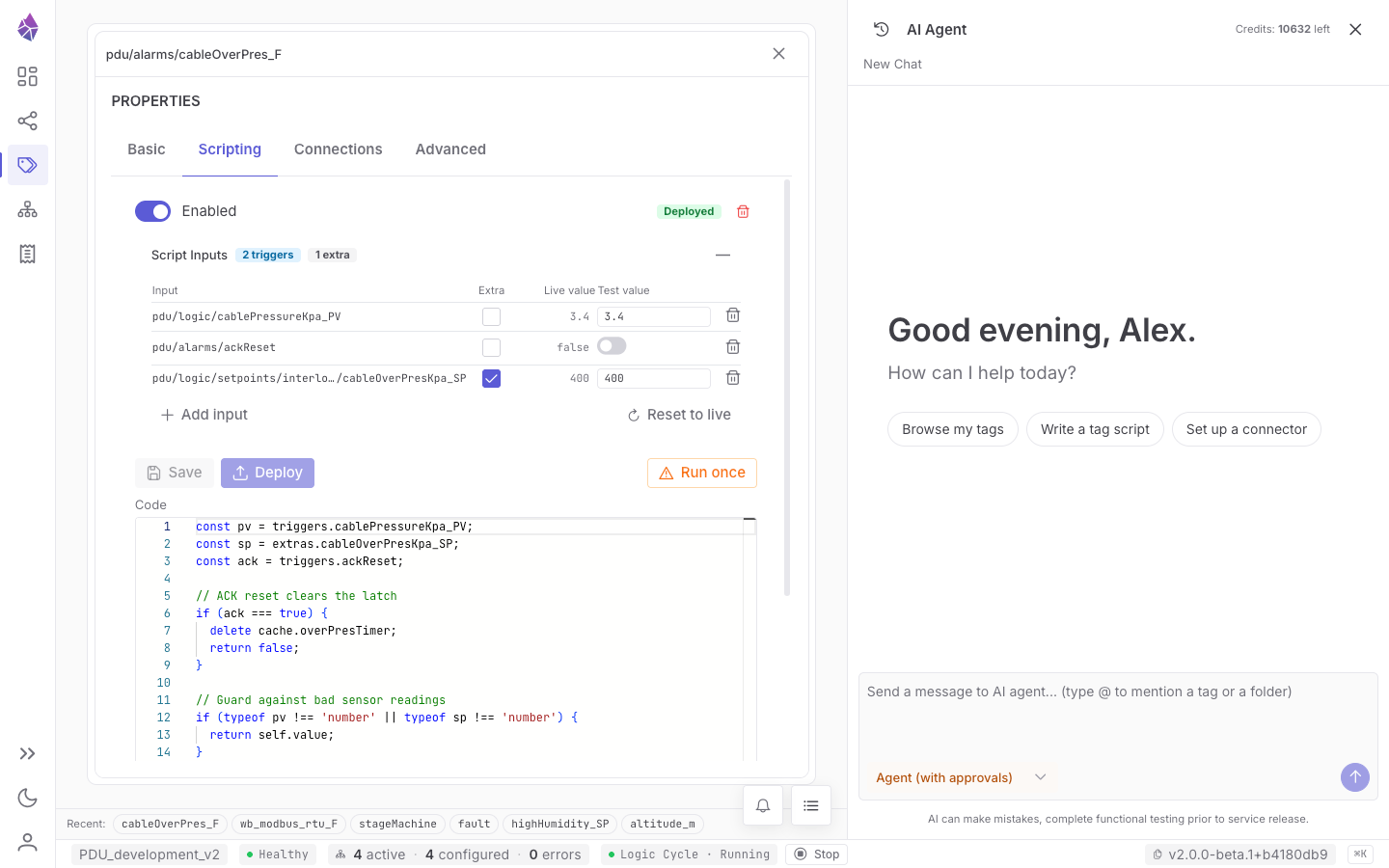
:::note[Roadmap: the High Performance Cycle] The Logic Cycle is event-driven and excellent for reactive and supervisory logic, but it is not hard real-time. A deterministic, time-driven High Performance Cycle — compiled logic running sub-millisecond on a dedicated thread, for continuous control and the safety roadmap — is designed for but not included in the current release. When it lands, the same test-and-sign-off workflow applies to it. :::
Testing and deploying a change
Section titled “Testing and deploying a change”Editing a script saves a draft; it doesn’t go live until you Deploy. Before deploying you can Test the saved script against synthetic trigger values without affecting the running process. In commissioning and production modes, testing also re-simulates the change’s downstream effects and requires sign-off, and the change then flips live atomically. The full workflow — modes, the Deploy Gate, and the guardrails on AI edits — is in The AI agent & Deploy Gate.
Deploying or enabling a script does not run it — a script only runs on one of its triggers, or when you click Run once to execute it a single time by hand. New scripts also default to Skip if already running, so a long run won’t pile up re-triggers behind it; you can change this per script, or the node-wide default under System Config → Script defaults.
Simulating the field
Section titled “Simulating the field”Need to drive an input tag that a connector normally owns — to test logic with no hardware attached? Disable the connector, then attach a script (or write from the UI) to the input tag; the engine accepts those writes while the connector is disabled. Re-enable the connector only after disabling the simulation script, or the two will fight over the tag. More in Connectors → Direction.